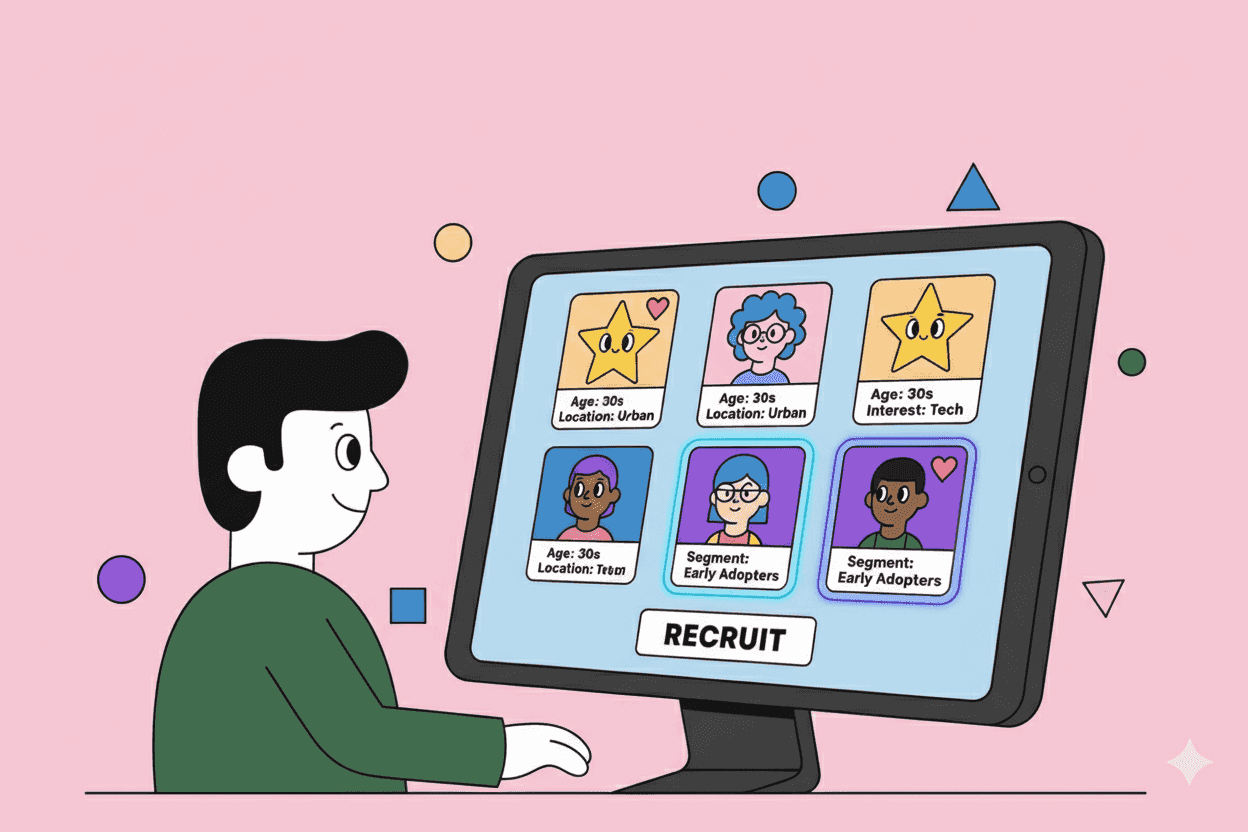
The quality of your user research depends almost entirely on who you talk to. You can have the perfect discussion guide, the best facilitator, and the most sophisticated analysis methods—but if you're talking to the wrong people, your insights will lead you astray.
Participant recruitment is often the hardest part of user research, yet it's frequently treated as an afterthought. Teams scramble to find "anyone who's available" instead of being deliberate about who they need to learn from.
This guide covers everything you need to know about recruiting the right participants: from defining your criteria and writing effective screeners to choosing recruitment channels and building a sustainable research panel.
TL;DR: Key Takeaways
- Define precise criteria before recruiting—job role, behaviors, and recent experiences matter more than demographics
- Write screener questions that qualify participants without leading them to "correct" answers
- Mix recruitment channels: your own customers, external panels, social media, and professional networks
- Offer appropriate incentives: B2B participants typically need $100-300/hour; consumers $25-75
- Build a research panel for continuous access to qualified participants
- Over-recruit by 20-30% to account for no-shows and disqualifications
Why Participant Recruitment Matters
Bad recruitment leads to bad research. Here's what goes wrong:
Professional research participants who take every study for the money, telling you what they think you want to hear. Their feedback reflects experience gaming surveys, not genuine user behavior.
The wrong job role means insights that don't apply. Interviewing marketing managers when your product is used by marketing coordinators gives you a distorted picture of actual workflows.
Convenience sampling where you only talk to people easy to reach—typically power users or advocates—missing the perspectives of churned customers, frustrated users, or people who never adopted your product.
Insufficient variety leads to building for edge cases. If all five interview participants happen to share an unusual workflow, you might prioritize features that most users don't need.
The goal isn't just finding participants—it's finding the right participants who represent the users you're building for.
Step 1: Define Your Target Participant Criteria
Before you recruit anyone, get specific about who you need to talk to. Vague criteria like "people who use project management software" isn't enough.
Primary Criteria (Must-Have)
These are non-negotiable requirements:
- Job title or role: "Product managers at B2B SaaS companies" or "Parents with children under 5"
- Relevant behavior: "Currently uses competitor X" or "Made a purchase in the last 30 days"
- Experience level: "Using the product category for 1+ years" or "New to the space"
- Company characteristics (for B2B): Industry, company size, growth stage
Secondary Criteria (Nice-to-Have)
These help ensure diversity:
- Geographic distribution
- Company size variation
- Experience level mix (novice, intermediate, expert)
- Different use cases or workflows
Exclusion Criteria
People you specifically don't want:
- Employees of competitors or your own company
- Professional market research participants (too many studies)
- People in marketing, market research, or UX roles (too aware of research dynamics)
- Those who've participated in your research within the past 6 months
The 5-7 Participant Sweet Spot
For most qualitative research, 5-7 participants per segment is sufficient to identify patterns. More participants give diminishing returns—you'll hear the same themes repeated.
If you're comparing segments (e.g., power users vs. churned users), recruit 5-7 per segment.
Step 2: Write Effective Screener Questions
A screener is a short survey that determines whether someone qualifies for your study. The goal is to identify qualified participants without revealing what you're looking for.
Principles of Good Screener Design
Don't telegraph the "right" answer. Instead of asking "Do you use project management software?" (obviously yes is correct), ask "Which of these tools do you currently use?" with a list including your target category mixed with decoys.
Use behavioral questions over self-assessment. Don't ask "Are you an expert at Excel?" Ask "In the last week, how many times did you use Excel?" and "Which of these features have you used?"
Include attention checks. Add a question like "Please select 'Strongly Agree' for this question" to catch people rushing through.
Keep it short. 10-15 questions maximum. Longer screeners cause dropout before you can evaluate candidates.
Example Screener Structure
-
Role/Demographics (2-3 questions)
- Job title, company size, industry
-
Behavioral Qualification (3-5 questions)
- Tool usage, frequency, specific features used
-
Recency Check (1-2 questions)
- When did you last do X activity?
-
Exclusion Checks (2-3 questions)
- Do you work in any of these industries? (List market research, competitors)
- Have you participated in a research study in the last 3 months?
-
Scheduling/Contact (2-3 questions)
- Availability, contact information, timezone
Step 3: Choose Your Recruitment Channels
Different sources have different strengths. Most teams need a mix.
Your Own Customer Base
Pros: Already qualified by product usage, can target specific segments, usually willing to help Cons: Biased toward active/happy users, limited for prospective user research
How to recruit:
- In-app prompts for specific user segments
- Email outreach to customers matching criteria
- Customer success team referrals
- Post-support interaction surveys
Tip: Use your product analytics or customer intelligence platform to identify customers who match specific behaviors. Tools like Pelin can help you find customers who've expressed frustration with specific features, mentioned competitors, or shown particular usage patterns—making recruitment more targeted than generic "random sample" approaches.
External Research Panels
Pros: Fast, scalable, good for consumer research Cons: Expensive, quality varies, risk of professional participants
Major panels:
- User Interviews, Respondent (B2B and B2C)
- Prolific (academic-quality)
- UserTesting (includes moderated and unmoderated)
- dscout (mobile/diary studies)
B2B panels:
- GLG, AlphaSights (executives and experts)
- NewtonX (verified professionals)
Budget $100-300 per B2B participant, $25-75 per consumer participant, plus platform fees.
Social Media and Communities
Pros: Access to niche audiences, often engaged participants Cons: Time-consuming, inconsistent response rates
Where to recruit:
- LinkedIn (especially for B2B roles)
- Reddit communities related to your product category
- Slack/Discord communities
- Industry-specific forums
Best practice: Be transparent about your research. "I'm conducting research on [topic] and looking for [criteria]. 30-minute interview, $X compensation."
Referral Recruitment
Pros: Pre-qualified through social proof, often high quality Cons: Can create homogeneous samples (friends resemble friends)
Ask current participants: "Do you know anyone else who [meets criteria] who might be interested in participating?"
Limit referrals to 1-2 participants per chain to maintain sample diversity.
Intercept Recruitment
Pros: Catches people in the moment, high relevance Cons: Limited to users already engaging with your product/site
- Website pop-ups for visitors matching criteria
- In-app prompts after specific actions
- Post-purchase or post-support surveys with research opt-in
Step 4: Set Appropriate Incentives
Incentives aren't just about "paying for time." They demonstrate respect for participants' expertise and reduce selection bias toward people with too much free time.
Consumer Research Rates
| Duration | Gift Card / Payment |
|---|---|
| 15-minute survey | $15-25 |
| 30-minute interview | $40-60 |
| 60-minute interview | $75-125 |
| 90-minute session | $100-150 |
| Diary study (1 week) | $150-300 |
B2B Research Rates
B2B participants are harder to recruit and their time is more valuable:
| Participant Level | 60-min Session |
|---|---|
| Individual contributor | $100-150 |
| Manager | $150-200 |
| Director | $200-300 |
| VP / Executive | $300-500+ |
Tip: For B2B, consider donations to charity as an alternative. Many professionals can't accept personal payments but appreciate contributions to causes they care about.
Beyond Cash
- Amazon/Visa gift cards (most flexible)
- Charitable donations in their name
- Product credits or extended trials
- Early access to new features
- Company swag (supplements, doesn't replace cash)
Step 5: Build a Research Participant Panel
Instead of recruiting from scratch for every study, build a panel of pre-qualified participants you can tap repeatedly.
Panel Benefits
- Faster recruitment: Days instead of weeks
- Lower cost: No platform fees, reduced screening
- Better quality: Known participants, relationship building
- Longitudinal insights: Track how opinions change over time
Building Your Panel
- Add research opt-in to touchpoints: Signup flow, support interactions, NPS surveys
- Maintain panel hygiene: Remove inactive members, update profiles periodically
- Segment by characteristics: Usage patterns, job role, product tier
- Track participation: Limit how often individuals participate (3-4 times per year max)
- Keep them engaged: Share research impact, thank them for contributions
Panel Size
Aim for a panel 10x your typical study size. For a SaaS product:
- 50-100 members minimum for qualitative research
- 500+ for quantitative surveys with segmentation needs
Panel Management Tools
- Ethnio (purpose-built for research panels)
- Great Question (research CRM)
- Rally (UX research recruitment)
- Simple spreadsheet + email for small panels
Step 6: Manage the Recruitment Process
Timeline Planning
For a typical qualitative study:
- Week 1: Write screener, launch recruitment
- Week 2: Screen responses, schedule sessions
- Week 3-4: Conduct research
For urgent research, external panels can deliver qualified participants in 24-48 hours (at premium cost).
Over-Recruitment
Always recruit more than you need:
- 25-30% more for remote research (no-show rate is ~20%)
- 10-15% more for in-person (lower no-show rate)
- Have backup slots scheduled that you can cancel if primaries show
Confirmation and Reminders
No-shows kill research timelines. Prevent them:
- Immediate confirmation with calendar invite
- 48-hour reminder asking to confirm or reschedule
- Day-before reminder with session link and any prep instructions
- 1-hour reminder (SMS works better than email)
Disqualification During Sessions
Sometimes participants slip through screening. Know when to end early:
- They clearly misrepresented their qualifications
- They can't meaningfully answer your questions
- Technical issues prevent productive conversation
Be gracious: "I appreciate your time, but I've realized this study isn't quite the right fit. We'll still send your compensation."
Using AI to Improve Recruitment
Modern customer intelligence tools can dramatically improve recruitment by helping you identify the right participants before you even send a screener.
Instead of broadcasting recruitment to all customers and hoping qualified people respond, you can:
- Find customers with specific feedback patterns: Those who've mentioned competitors, requested certain features, or expressed frustration with particular workflows
- Identify behavioral segments: Power users vs. at-risk customers, new vs. established accounts
- Match to recent experiences: Customers who recently completed onboarding, upgraded, or used a new feature
Platforms like Pelin aggregate feedback from support tickets, sales calls, NPS surveys, and product analytics to surface customers who match specific criteria. This means your recruitment isn't random sampling—it's targeted outreach to people you already know have relevant experience.
This approach reduces screener length (you've already pre-qualified many attributes), improves response rates (more relevant outreach), and surfaces participants you might never find through conventional channels—like customers who mentioned a competitor in a support ticket six months ago.
Common Recruitment Mistakes
Recruiting Too Narrow
Talking only to power users, only to enterprise customers, or only to people who love your product. Your research should include variety—including people who struggle, who churned, who chose competitors.
Screeners That Lead
"Our product helps teams collaborate better. Do you value collaboration?" This telegraphs what you want to hear. Reframe as behavioral questions with decoy options.
Skipping the Screener for "Speed"
Going straight to scheduling without screening leads to unproductive sessions with unqualified participants. Ten minutes of screening saves hours of wasted research.
Same Participants Every Time
Panel fatigue is real. Participants who do too many studies become "professional users" who respond differently than fresh participants. Rotate your panel.
Under-Compensating B2B Participants
Offering $50 for an hour with a VP signals you don't value their time. Poor compensation attracts lower-quality participants and biases toward junior roles.
Putting It All Together
Effective recruitment follows this flow:
- Define precise criteria tied to your research questions
- Write behavioral screener questions that don't reveal "correct" answers
- Recruit from multiple channels to ensure diversity
- Offer appropriate incentives for participant level
- Confirm multiple times to reduce no-shows
- Build your panel for future research efficiency
The work you put into recruitment pays dividends throughout your research. When you're confident you're talking to the right people, your insights are trustworthy, your recommendations are credible, and your product decisions are sound.
Good research starts with good recruitment. Don't skip this step.